



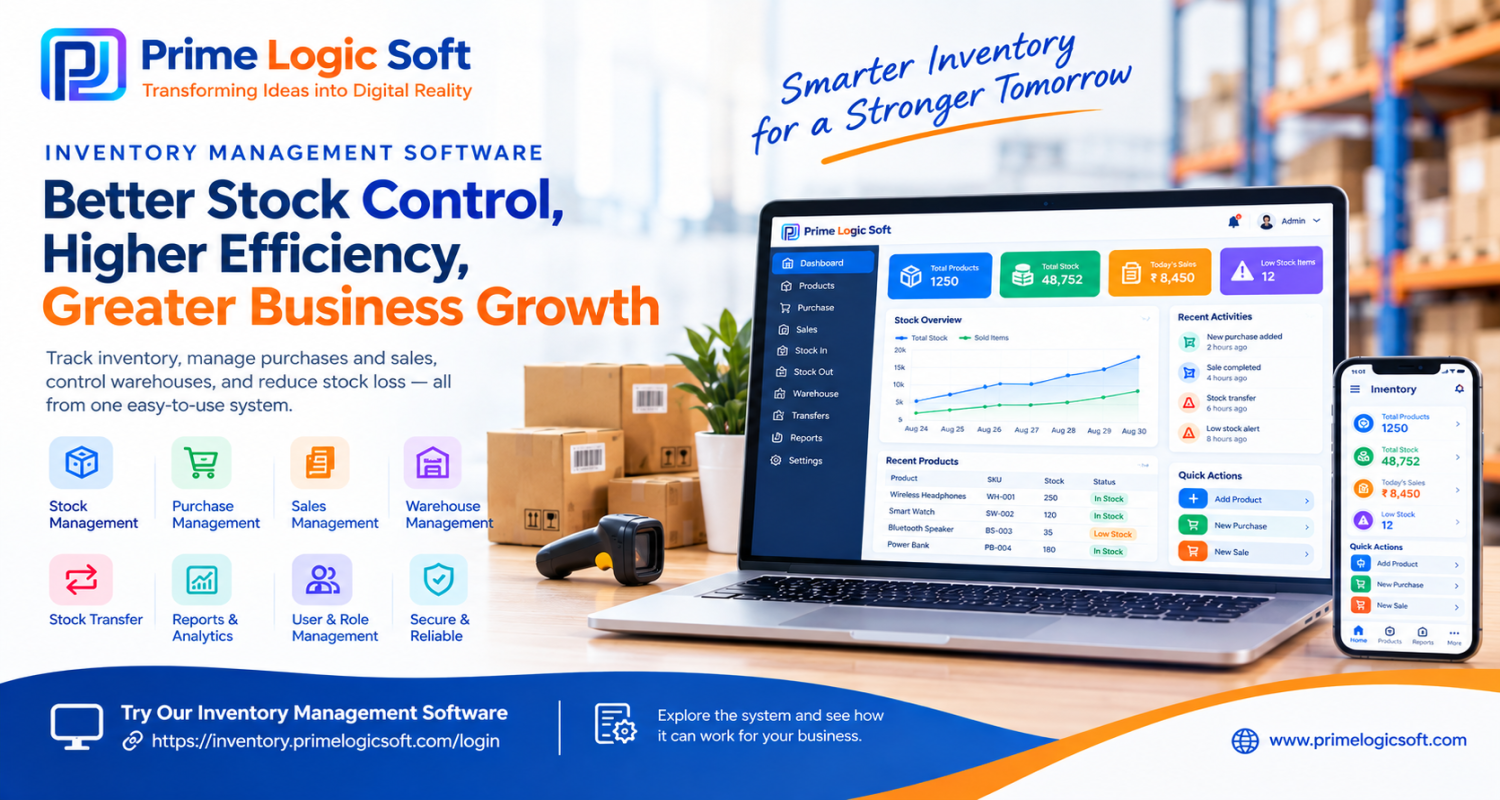
Inventory Management Software: How Businesses Can Reduce Stock Loss, Improve Control & Increase Efficiency
Managing inventory manually becomes increasingly difficult as a business grows. What starts with a simple spreadsheet or notebook can quickly turn into problems such as incorrect stock counts, missing products, delayed purchase decisions, overstocking, and difficulty tracking sales.
For retailers, wholesalers, distributors, manufacturers, e-commerce businesses, and other product-based businesses, having accurate and up-to-date inventory information is essential.
This is where Inventory Management Software and Stock Management Software can make a significant difference.
What Is Inventory Management Software?
Inventory Management Software is a digital system that helps businesses manage and monitor their products, stock levels, purchases, sales, warehouses, and inventory movements from a centralized platform.
Instead of maintaining separate records in spreadsheets, registers, or multiple systems, businesses can manage inventory information through a single software solution.
A modern inventory management system can help businesses maintain better visibility of:
-
Available stock
-
Product information
-
Purchase orders
-
Sales transactions
-
Stock in and stock out
-
Warehouse inventory
-
Inventory transfers
-
Low-stock products
-
Stock adjustments
-
Business reports
The objective is simple: know what you have, where it is, and how it is moving.
Why Are Businesses Moving From Manual Stock Management?
Many businesses still manage inventory using Excel spreadsheets, paper records, or multiple disconnected systems.
While these methods may work when the business is small, they can become difficult to maintain as the number of products, customers, suppliers, warehouses, and transactions increases.
Common inventory challenges include:
1. Incorrect Stock Information
Manual data entry can result in differences between actual physical stock and recorded stock.
Even a small error repeated across hundreds of products can create significant problems.
2. Overstocking
Without accurate stock information, businesses may purchase more products than necessary.
This can increase storage costs and tie up working capital.
3. Stock Shortages
Running out of fast-moving products can result in missed sales and unhappy customers.
Real-time stock visibility helps businesses identify products that need replenishment.
4. Difficulty Tracking Stock Movement
Businesses need to know when products are purchased, sold, transferred, returned, or adjusted.
Tracking these activities manually can consume valuable time.
5. Time-Consuming Reports
Preparing inventory reports manually can take hours.
An automated system can provide business information much faster and help management make informed decisions.
How Stock Management Software Helps Businesses
A well-designed Stock Management Software solution can centralize inventory operations and reduce unnecessary manual work.
Real-Time Inventory Tracking
Businesses can monitor current stock levels and inventory movement from a centralized dashboard.
This makes it easier to understand which products are available, which products are moving quickly, and which products may require attention.
Purchase Management
Track purchases and supplier-related inventory activities in one place.
Businesses can maintain better visibility into purchased quantities, product costs, and incoming stock.
Sales & Stock Updates
When products are sold, inventory records can be updated accordingly.
This creates a clearer connection between sales activity and available stock.
Warehouse Management
Businesses operating multiple warehouses or storage locations can benefit from centralized inventory visibility.
Instead of maintaining separate records manually, stock information can be organized by warehouse or location.
Low Stock Monitoring
Businesses can identify products that are reaching their minimum stock levels and plan purchases before inventory runs out.
Inventory Reports
Inventory reports can help business owners and managers understand stock levels, product movement, purchases, sales, and other important inventory information.
Who Can Benefit From Inventory Management Software?
Inventory software is not limited to large companies.
It can be useful for businesses of different sizes, including:
-
Retail stores
-
Wholesale businesses
-
Distributors
-
Supermarkets
-
Pharmacies
-
Garment businesses
-
Electronics businesses
-
Hardware stores
-
Manufacturing businesses
-
E-commerce businesses
-
Multi-branch businesses
-
Import and export businesses
If your business regularly purchases, stores, sells, or transfers products, inventory management software can help organize those operations.
Key Features to Look for in Inventory Software
Before selecting an inventory management solution, businesses should consider the features they actually need.
Important features may include:
Product Management
Maintain product names, SKUs, categories, pricing, units, and other product information.
Stock In & Stock Out
Track inventory entering and leaving the business.
Purchase Management
Manage purchases and maintain supplier-related information.
Sales Management
Connect sales transactions with inventory records.
Multi-Warehouse Management
Manage stock across different warehouses or business locations.
Stock Transfer
Transfer products between warehouses or locations while maintaining proper records.
Stock Adjustment
Record damaged, missing, expired, or manually adjusted inventory.
User & Role Management
Give employees access according to their responsibilities.
Reports & Analytics
Access useful reports for inventory, purchases, sales, and stock movement.
Dashboard
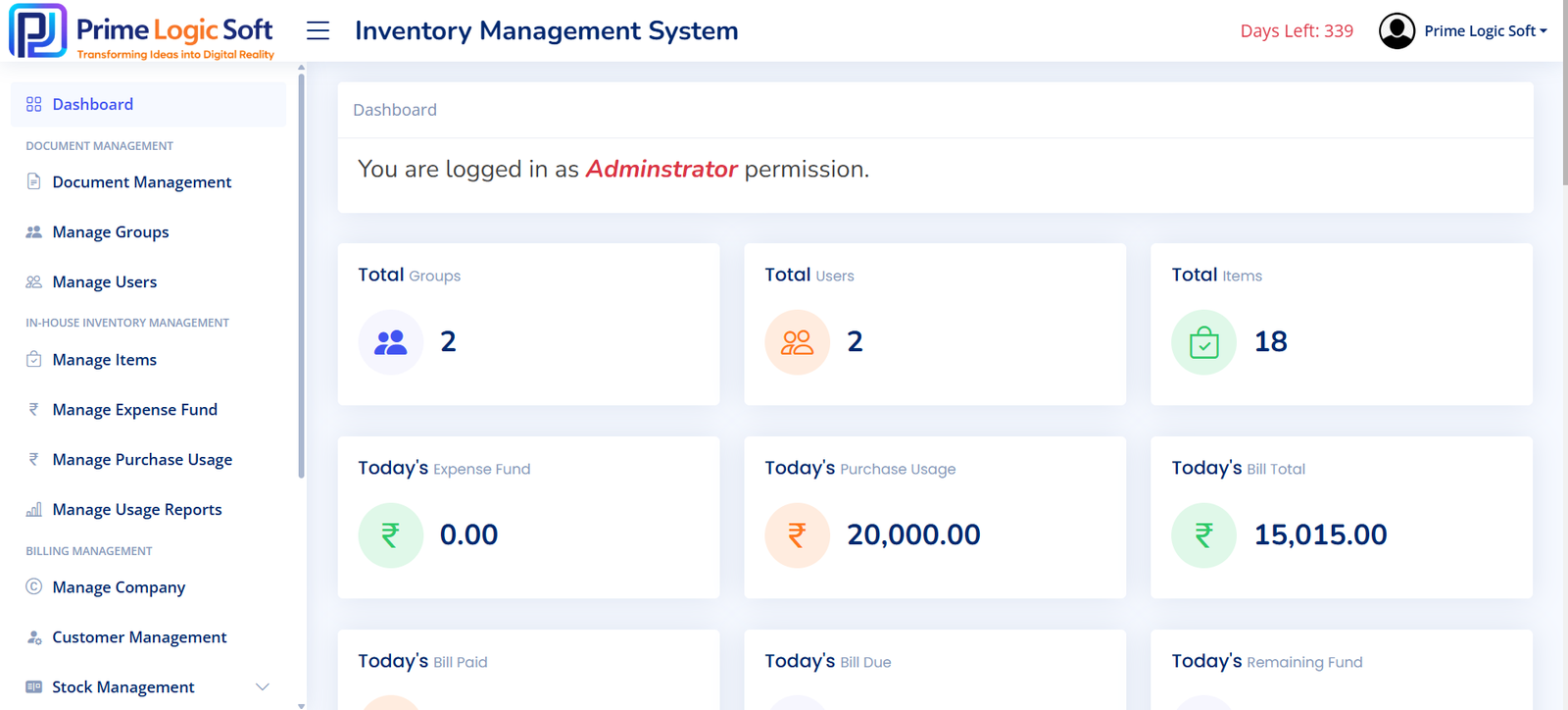
Get a quick overview of important inventory information from a centralized dashboard.
Inventory Management Software vs. Excel
Excel can be useful for basic inventory tracking, particularly for very small businesses.
However, as operations grow, businesses may require automation, user management, centralized data, reporting, and better control over inventory transactions.
| Excel / Manual Tracking | Inventory Management Software |
|---|---|
| Manual updates | Automated workflows |
| Higher possibility of data-entry errors | Better data consistency |
| Difficult to manage multiple locations | Multi-location support |
| Reports require manual preparation | Automated reports |
| Limited user control | User roles and permissions |
| Difficult to track stock movement | Centralized stock movement |
| Scaling can become difficult | Designed for growing operations |
The right choice depends on the size and requirements of the business, but growing businesses often need more structured inventory management.
Why Real-Time Inventory Visibility Matters
Imagine receiving an order from a customer and discovering later that the product is not actually available.
Or imagine purchasing a large quantity of a product that is already sitting in another warehouse.
These situations can happen when inventory information is not properly synchronized.
Real-time inventory visibility helps businesses answer important questions quickly:
How much stock do we have?
Which warehouse has the stock?
Which products are selling quickly?
Which products need to be reordered?
How much inventory was purchased?
Where did the stock move?
Having these answers available through software can improve day-to-day operational control.
Why Choose a Customized Inventory Management System?
Every business does not manage inventory in the same way.
A retailer may require different workflows from a distributor, manufacturer, or multi-warehouse business.
A customized inventory management solution can be designed around your specific business processes.
This can include:
-
Custom dashboards
-
Custom reports
-
Business-specific workflows
-
User roles and permissions
-
Multi-warehouse functionality
-
Third-party API integrations
-
Accounting integrations
-
E-commerce integrations
-
Payment integrations
-
Custom notifications
-
Business-specific automation
At Prime Logic Soft, we develop scalable software solutions tailored to the operational requirements of businesses.
Try Our Inventory Management Software
Want to see how an inventory management system can work for your business?
You can explore our inventory management software directly through our online system.
Access the Inventory Management Software:
https://inventory.primelogicsoft.com/login
Log in to explore the system and understand how digital inventory management can help organize your stock and business operations.
Take Control of Your Inventory With the Right Software
Inventory is one of the most important operational assets of a product-based business.
When inventory information is inaccurate or difficult to access, businesses can face unnecessary operational challenges.
A modern inventory management system can help businesses organize stock, purchases, sales, warehouses, and inventory movement through a centralized digital platform.
If you are currently managing inventory through Excel, spreadsheets, registers, or multiple disconnected systems, it may be time to consider a dedicated inventory management solution.
Looking for Inventory Management Software for Your Business?
Prime Logic Soft provides custom software development solutions for businesses looking to digitize and automate their operations.
Our Inventory Management System is designed to help businesses manage stock, purchases, sales, warehouses, and inventory movement through a centralized solution.
Whether you are a retailer, wholesaler, distributor, manufacturer, or e-commerce business, we can discuss your requirements and help you determine the right inventory management approach.
Get Started Today
Have an inventory management requirement?
Explore our inventory management software or contact Prime Logic Soft to discuss a solution designed around your business workflow.
Try the Software:
https://inventory.primelogicsoft.com/login
Email Address : admin@gmail.com
Password : 123456@@
Company Website:
https://primelogicsoft.com/
Let’s build a smarter way to manage your inventory.